

How to Personalize Smart Home Decor: A Room-by-Room Guide
Table of Contents
- Start With a Room-by-Room Personalization Plan
- Smart Home Decor Ideas That Match Your Style
- Smart Lighting Ideas for Home Decor
- How to Hide Smart Home Devices Without Losing Signal
- Use Smart Home Design Apps to Test the Look First
- Connect Everything to One Central Control Point
- Set Up Privacy, Security, and Fallback Controls
- Conclusion
- Frequently Asked Questions
Last Updated: October 20, 2026
Start With a Room-by-Room Personalization Plan
Learning how to personalize smart home decor starts with one rule: plan the room before you buy the gadget. A smart home that feels personal is not the one with the most devices, it is the one where every device earns its place. Customers sometimes buy a few smart devices, then stall because nothing fits together. A room-by-room plan fixes that before you spend a dollar.
Map Each Room to the People Who Use It
Walk through your home and write down who uses each room and when. That list becomes your buying guide.
- Living room: movie nights, guests, ambient light
- Kitchen: hands-free control while cooking
- Home office: task light, focus schedules
Then note one habit per person. A roommate who works late needs dim lighting at 11 p.m.; a partner who leaves early needs a hallway light before dawn.
Here is the workflow we recommend:
| Step | What You Do | Time Needed | Why It Matters |
|---|---|---|---|
| 1. List rooms | Note every room you want to upgrade | 15 minutes | Prevents impulse buys |
| 2. List people | Name who uses each room and when | 10 minutes | Drives real routines |
| 3. Set one goal per room | Pick a single outcome (comfort, security, ambiance) | 10 minutes | Keeps scope small |
| 4. Choose devices last | Buy only what serves the goal | Varies | Avoids clutter and waste |
That table is the whole method. Most guides skip it and jump straight to product lists.
Smart Home Decor Ideas That Match Your Style
The best smart home decor ideas hide the tech and show the style. Buy for how a device looks in your room, not just what it does: a smart plug behind a sofa is invisible, and a smart bulb inside a lamp you already love stays invisible until it changes color. Choose finish, form factor, and placement before you compare feature lists, because a device that clashes with your room is a device you will stop using.
Build a Finish and Material Inventory First
Before you shop, photograph the surfaces a device will sit near, outlet covers, lamp bases, shelf brackets, door handles, cabinet pulls, trim, and note the dominant tone and sheen. Then sort candidate devices into four buckets:
- Warm metals (brass, bronze, copper): pair with warm-white bulbs (2700K-3000K) and wood furniture; avoid cool-white bulbs here, which make brass look green.
- Matte black: fits modern shelving, media consoles, and industrial frames; fingerprints show less than on gloss black.
- White and cream: disappears against light walls and trim; the safest choice for rentals and for ceilings.
People often buy the flashiest device on the shelf, then hide it behind a plant. The device you notice least is the one you will love longest. Save the visual drama for lighting, where color and glow are the point.
Match Device Form Factor to Furniture
Form factor matters as much as color. A bulb is invisible inside a shade and a plug behind a sofa; a camera is not invisible anywhere, so treat it as decor and place it deliberately.
- Lamps you already own: a smart bulb (standard E26/E27 base in most U.S. fixtures) upgrades the fixture without changing its look. Check the bulb's shape (A19, BR30, candelabra) against the shade before buying.
- Open shelving and side tables: a smart plug with a low-profile body hides behind the furniture; a bulky plug with a side outlet does not.
- Media consoles: strip lighting belongs behind the TV or under a shelf lip, where the LED channel is hidden but the glow is not.
Style-by-Style Pairing Guide
Use these pairings as a starting point, then adjust to your room:
- Modern minimalist: matte black or white devices, recessed panels, hidden strip lighting, cool-to-neutral white bulbs (3000K-4000K) for task areas.
- Traditional: brass or bronze accents, warm-white bulbs (2700K), smart plugs hidden inside cabinets, and smart switches that match existing toggle or paddle styles.
- Coastal and light-filled: white and cream devices, woven cable covers, warm-white bulbs, and strip lighting under shelves rather than across ceilings.
Where to Spend the Visual Budget
Not every device deserves design attention. Spend on what people see and touch, wall panels, smart switches, visible speakers, lamps, and save on what disappears: plugs, hubs, sensors, strip controllers. That split keeps the room intentional without paying a design premium for hardware no one will notice.
Smart Lighting Ideas for Home Decor
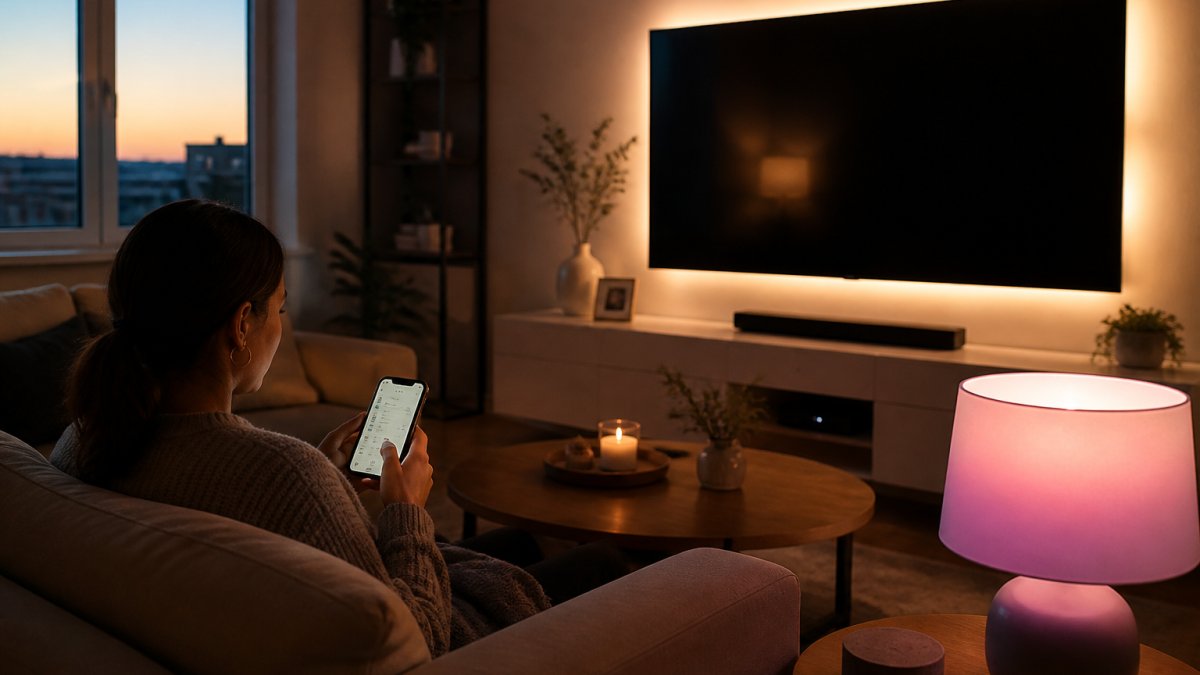
Smart lighting ideas for home decor work best in three layers: ambient fills the room, task helps you read or cook, and accent adds depth and mood. Most homes have only one layer, which is why rooms feel flat.
Layer Ambient, Task, and Accent Light
Build each layer with a clear job in mind.
- Ambient: a ceiling fixture or floor lamp on a schedule, warm white in the evening
- Task: a desk or counter lamp you can dim for close work
- Accent: strip lighting behind a TV or under a shelf for glow
Our LED strip lights handle the accent layer well: they bend around corners, stick to most surfaces, and run on a 44-key remote with millions of colors. For double duty, our Bluetooth speaker bulb screws into a standard E27 socket and adds music to the light.


How to Hide Smart Home Devices Without Losing Signal
Hiding smart home devices is mostly about materials, not distance. Radio signals pass through wood, drywall, and fabric but struggle with metal, concrete, and water.
- Route cables along baseboards and behind furniture
- Use cable clips that match your wall color
- Place hubs on a shelf, not inside a metal cabinet
A smart plug behind a couch works fine; the same plug inside a metal media cabinet may drop offline. Test placement before you commit.
Our WiFi smart plugs are a good fit for this job.
Graffiti Smart Central Control Home Panel & Smart Home Hub →
Use Smart Home Design Apps to Test the Look First
Smart home design apps let you preview device placement before you buy, the step most guides skip. The goal is not a perfect render but catching the two mistakes that cause returns: a device that clashes with the room, and a device placed where its signal or cable cannot reach. Treat the preview as a five-minute pre-purchase check, not a design project.
Three Kinds of Preview Tools
Most previews fall into one of three categories. Use whichever fits your device:
- Brand apps with AR or room preview: many lighting and plug brands include a camera-based preview that places a bulb, strip, or fixture in your room. Point your phone at the wall or lamp and check the glow against your paint and furniture.
- Room-planner apps: general-purpose interior design apps let you drop furniture and fixtures into a floor plan, which is useful for planning where a wall panel, smart switch, or shelf-mounted strip will go before you commit to wiring.
- Low-tech mockups: tape a paper template to the wall at the device's real dimensions, or set a spare lamp in the target spot and live with it for an evening. This costs nothing and catches scale problems that renders hide.
A Five-Step Preview Workflow
Run this sequence for any visible device:
- Measure the spot. Note the width, height, and depth available, plus the distance to the nearest outlet or switch box.
- Check the light. Preview the device at the time of day you will actually use it. A strip light that looks subtle at noon can dominate a room at 9 p.m.
- Check the cable path. Trace where the cord or adapter will run. If the only path crosses a doorway or a visible wall, the device will look messier than the preview suggests.
- Check the signal. For plugs, hubs, and cameras, confirm the spot is not inside a metal cabinet or behind a large appliance, which can weaken WiFi.
- Screenshot and wait a day. Live with the image for 24 hours. If the glow still looks right at night, buy it. If it clashes with your paint, you just saved yourself a return.
Where Previewing Matters Most
Previewing pays off most in three situations:
- Rentals: you cannot repaint or rewire, so placement and cord routing are the only levers you control.
- Visible devices: wall panels, smart switches, cameras, and speakers are permanent-looking additions; preview them before you commit.
- Layered lighting: strip lights and accent bulbs interact with wall color and furniture in ways that are hard to predict from a product photo.
For devices that will be hidden anyway, skip the preview and spend the time on signal testing. A smart plug behind a couch does not need a render; it needs a WiFi check.
Connect Everything to One Central Control Point
One control point beats five apps. Pick a single place to manage routines: a phone app, a wall panel, or a voice assistant. Then group devices by room so one tap handles the whole space.
A wall panel is the cleanest option for a planned setup. Our Graffiti smart control panel is an 8-inch recessed panel with a 1280 × 800 IPS display and both WiFi and Ethernet.

Set Up Privacy, Security, and Fallback Controls
Privacy and fallback controls are the part most guides skip. Set them up on day one, not after something breaks.
- Change the default password on every device and router
- Turn on two-factor login where the app offers it
- Check each app's data-sharing settings and turn off what you do not need
Then build a fallback. Every smart device should still work by hand. Keep a regular lamp in each room, keep physical switches usable, and write down how to reset each device. If the WiFi drops, your home should still function.
The FTC's guidance on connected devices is a solid plain-language checklist for passwords and updates. For network basics, the CISA secure-by-design resources explain why firmware updates matter. And the NIST cybersecurity framework gives a simple structure for reviewing your setup once a year.
Conclusion
The hard part of a smart home is not the tech. It is keeping the room looking and feeling like yours. Start with one room, one person, and one goal, then add devices that disappear into the decor you already love.
That is where Mayon Finds helps. Browse our smart home collection to find a control panel, lighting, or plug set that matches your plan, and build from there.
Frequently Asked Questions
How do I hide smart home devices without blocking their signals?
Keep devices out of metal enclosures and sealed cabinets, which block Wi-Fi and Bluetooth. Instead, tuck plugs and hubs behind furniture with open backs, use fabric-covered cable boxes with ventilation slots, and route cables through paintable cord covers along baseboards. For wall-mounted panels, plan recessed mounting during installation so only the screen shows. Test signal strength after concealing anything: if a device drops offline, move it a few inches or switch to a wired Ethernet connection where the device supports it.
What smart lighting ideas work best for home decor?
Layer three types of light: ambient (ceiling or floor lamps), task (under-cabinet or desk), and accent (LED strips behind a TV or shelf). Use dimmable smart bulbs in fixtures you already own so the lamp shade stays part of your decor. Set warm white for evenings and cooler white for mornings, and save those as scenes. LED strip lights behind a monitor or TV also reduce eye strain while adding a soft glow that reads as design, not gadgetry.
Will smart home devices from different brands work together?
Often yes, but check compatibility before buying. Many Wi-Fi plugs, bulbs, and hubs work with Alexa and Google Assistant, which lets you group devices from different brands under one voice command. The friction comes with app sprawl: each brand usually keeps its own app. Choose a central control point, such as a wall panel or a single assistant, and confirm with the supplier that your existing devices are supported. Verify protocols, voltage, and mounting requirements before ordering anything installation-dependent.
Is there an app that lets me design my own smart home layout?
Yes. Smart home design apps let you upload floor plans or room photos, drop in furniture and device placements, and preview lighting and color schemes before you buy. Some also simulate device coverage so you can spot weak Wi-Fi spots early. Use these apps to test where a wall panel, hub, or speaker will sit relative to outlets and furniture. Pair the app preview with a simple paper list of devices per room so your shopping stays focused.