

7 Personalized Desk Accessories for Your Workspace
Quick Summary
Personalized desk accessories are small items such as desk mats, card holders, and lamps that carry your name, initials, or a custom design. They make a workspace feel owned and look more professional on camera and in meetings. Matching a few well-chosen pieces to your work setup and desk size works best.
- A 2024 Staples Promotional Products study found branded desk accessories improve perceived workspace professionalism by 34%.
- The Custom Printed Business Card Holder ($25.99) holds up to 20 standard business cards.
- The 360° Dimmable LED Desk Lamp ($60.00) offers five light modes and ten brightness levels.
- Leave at least 2-3 inches of clear desk on each side of a desk mat before buying.
- Engraving suits frequently handled items, while printing handles detailed, full-color designs.
Table of Contents
- Why Personalized Desk Accessories Work in a Professional Workspace
- How to Choose Personalized Desk Accessories by Workspace Type
- Custom Desk Accessories for Daily Organization and Focus
- Engraved Desk Accessories and Personalization Methods
- Personalized Office Gifts for Coworkers and Clients
- Personalized Office Supplies Worth Buying in Bulk
- Booking Your Personalized Desk Setup Next
- Frequently Asked Questions
Why Personalized Desk Accessories Work in a Professional Workspace
Last Updated: October 27, 2026
Personalized desk accessories are small items that carry your name, initials, or a custom design, and they can make a workspace feel like it belongs to someone. The right desk accessory can give a professional setup a personal point of view.
The case for personalization is supported by research. A 2024 Staples Promotional Products study found that branded desk accessories improve perceived workspace professionalism by 34% (Staples Promotional Products workplace organization study). The U.S. Chamber of Commerce has also reported that when employees feel their work area reflects their self-image, engagement and performance tend to improve (U.S. Chamber of Commerce guidance on personalizing workspaces).
Personalization works for a few practical reasons:
- It makes a desk feel owned. A customized mat or card holder shifts a shared or temporary setup into a space you actually want to spend time in.
- It reinforces professionalism. Clean, coordinated pieces look intentional on camera, in client meetings, and during video calls.
- It keeps essentials in order. A dedicated holder for cards or a tray for cables reduces the visual clutter that makes focus harder.
Personalization has limits, though. Too many accessories can make a desk look busy. The goal is a few well-chosen pieces that share a material, color, or style.
The market is growing. Report Prime projects the desk accessories market will rise from USD 11.03 billion in 2025 to USD 15.52 billion by 2032, a compound annual growth rate of 5.00% (Report Prime desk accessories market forecast). Leather desk pads also rank as the top-selling executive desk accessory for 2026, according to The Elegant Office (The Elegant Office top-selling desk accessories of 2026).
How to Choose Personalized Desk Accessories by Workspace Type
The best personalized accessories depend on how you work, how much surface you have, and who sees the desk. A remote professional on video calls needs different pieces than a client-facing manager or a studio designer. The practical move is to match accessories to your role and your desk footprint before you fall for a finish or a monogram.
Start by listing what sits on your desk every day, then decide which items deserve a personal touch. The Custom Neon Glow Topographic Desk Mat ($14.78) is described as suitable for home offices, gaming setups, and creative studios. The 360° Dimmable LED Desk Lamp ($60.00) has five light modes and ten brightness levels. The Custom Printed Business Card Holder ($25.99) holds up to 20 standard business cards.


Match the accessory to the setting and the surface:
- Home office: Prioritize lighting and a desk mat that defines the workspace. A mat gives your keyboard and mouse a consistent surface.
- Corporate or shared office: Choose quieter materials and neutral finishes, and favor pieces that pack up or wipe down easily if the desk is hot-desked.
- Creative studio: Lean into bolder prints and statement pieces, but keep the count low so the desk still reads as a work surface.
- Remote or hybrid work: Focus on items that improve video-call presence, such as a phone stand for camera-level viewing, and keep the background behind you uncluttered.
A sizing checklist before you buy
Measure first, then choose. A mat or organizer can crowd the keyboard if it does not fit the desk. Use this checklist:
- Desk mat: Leave at least 2-3 inches of clear desk on each side of the mat, and confirm the mat is deep enough for your keyboard plus wrist rest without hanging off the front edge.
- Monitor-side organizers: Measure the gap between the monitor base and the desk edge; a storage box or tray should sit outside your typing zone.
- Business card holders: Standard cards are 3.5 × 2 inches, so confirm the holder's stated capacity (the Custom Printed Business Card Holder holds up to 20) and that it fits where you reach for it.
- Lamps: Check the base diameter and arm reach against your monitor height so the light lands on the desk, not the screen.
- Cable and charging accessories: Confirm port types and charging standards before you buy; a hub or charger that does not match your laptop's ports adds clutter instead of removing it.
Before buying, measure your desk and check that the accessory fits without crowding your keyboard or monitor.
Custom Desk Accessories for Daily Organization and Focus
A tidy desk can feel more organized. Consider which items you reach for most when arranging your workspace.
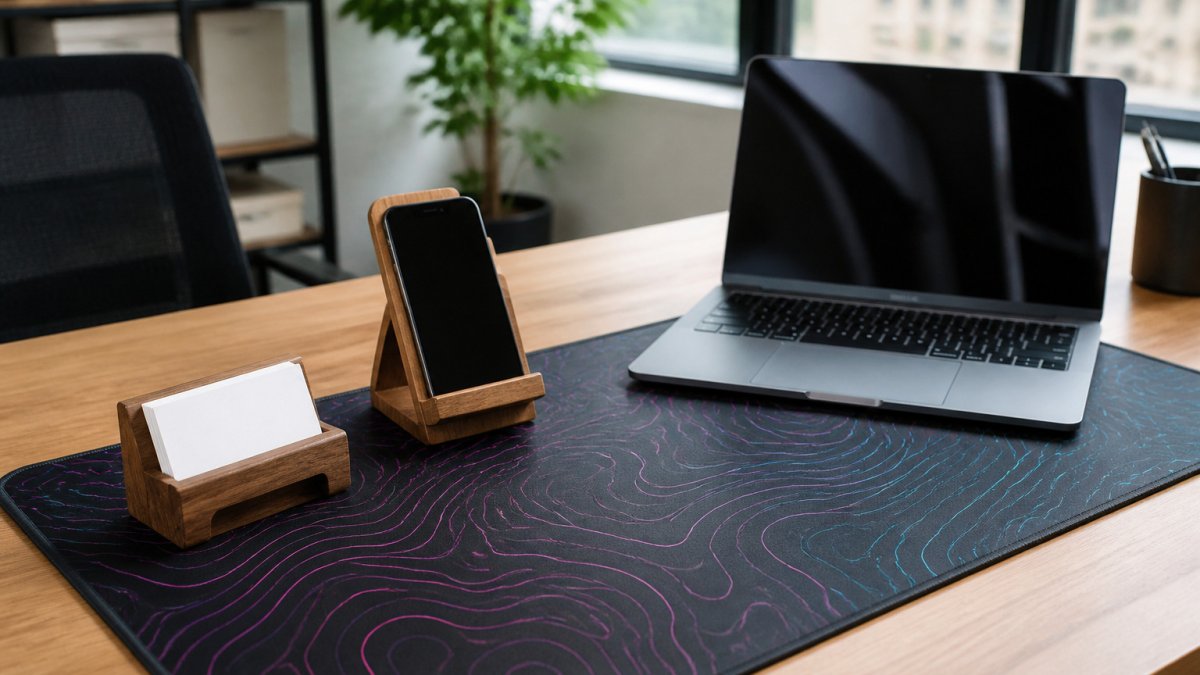
For daily planning, the Custom Printed Inspirational 2027 Desktop Calendar ($18.99) has a monthly grid, a black metal spiral, and tent-card backing. Browse the felt storage box option to see how it works as a desk organizer. Its 10" × 5" footprint is compact.
The adjustable desk lamp has a 360° adjustable arm and five light modes.

Keep the arrangement simple. Pick one or two organizing pieces, place them where your hands naturally go, and remove anything you rarely use. A cluttered desk with personalized items still feels cluttered.
The article's key accessory details are easier to scan side by side:
| Accessory | Price or spec | Note |
|---|---|---|
| Custom Printed Inspirational 2027 Desktop Calendar | $18.99 | 10" × 5" footprint, monthly grid |
| 360° Dimmable LED Desk Lamp | $60.00 | Five light modes, ten brightness levels |
| Custom Neon Glow Topographic Desk Mat | $14.78 | For home offices, gaming, creative studios |
| Custom Printed Business Card Holder | $25.99 | Holds up to 20 standard cards |
Engraved Desk Accessories and Personalization Methods
Personalization comes in several forms, and each suits different materials, budgets, and levels of wear. Printing, engraving, and embossing produce different looks and different durability, so it helps to know what you are buying before you choose a monogram or a logo.
Custom Neon Glow Topographic Desk Mat – Non-Slip, 3 Hem Styles, 5 Sizes →
Printing
Printed designs work well on fabric and paper surfaces. A desk mat or calendar can carry a full-color design, a motivational quote, or a custom pattern. Printing is generally the more affordable method for detailed artwork, and it handles gradients and photos that engraving cannot. The trade-off is wear: printed surfaces on frequently handled items can fade or scuff over time, especially at edges and corners.
Printed acrylic adds a different look. The Custom Printed Crypto Trading Photo Block ($79.99) uses AcryliPrint HD printing on a clear acrylic panel with black vinyl backing, giving an image a dimensional, frameless appearance on a desk or shelf. Acrylic is easy to wipe clean, but the printed layer should be cleaned gently to avoid dulling the image.
Engraving
Metal and wood items suit engraving, which cuts or burns the design into the surface and gives a permanent, tactile result. Engraving does not peel or fade the way a printed layer can, which makes it a strong choice for items that get handled daily, such as a pen cup or a card holder. When choosing an engraved piece, check the depth and clarity of the lettering, confirm whether the finish can be wiped clean, and ask whether the engraving is filled with color or left raw, since raw engraving on dark metal can be harder to read.
Embossing and debossing
Embossing raises a design above a leather or faux-leather surface, while debossing presses it below. Both suit desk pads, folios, and card holders, and both read as understated rather than flashy. The trade-off is legibility: fine detail and small text do not emboss cleanly, so initials and simple logos work better than long names or intricate artwork.
Care and longevity
Care also matters. Most of these items need only a gentle wipe with a clean, dry or slightly damp cloth. Avoid harsh cleaners on printed or coated surfaces, since they can fade prints and dull finishes. For leather and faux-leather pieces, keep them away from prolonged direct sun and wipe spills promptly. For engraved metal, a soft cloth is usually enough; abrasive polishes can blur the edges of the engraving over time.
The vintage world map phone stand has a glossy, one-sided printed world map design. The listing describes it as suitable for desks and other small surfaces and says to wipe it with a clean, dry cloth.
Personalized Office Gifts for Coworkers and Clients
Personalized gifts can mark milestones or thank colleagues and clients.
The Custom Printed Business Card Holder ($25.99) holds up to 20 standard 3.5 × 2 inch cards and has a glossy silver metal exterior and a velvet-like interior. The listing describes it as a small-business gift.
The Magnetic Levitation Floating Globe ($60.00) has built-in LED lighting and a world map. The listing describes it as a desk decor item and conversation piece.
When choosing a gift, consider the recipient's workspace and the occasion. The calendar listing describes it as a New Year gift. The lamp listing describes it as suitable for home offices, student desks, and bedside tables. The business card holder listing describes it as a networking accessory.
Personalized Office Supplies Worth Buying in Bulk
The 9-in-1 USB-C hub ($37.00) is listed as a 9-in-1 Type-C hub and multiport adapter. Check the complete port layout and compatibility details before ordering.
Booking Your Personalized Desk Setup Next
A personalized desk can reflect your style. Consider a desk mat or lamp for your workspace.
Browse the Mayon Finds collection for desk accessories, including a desk mat and lamp.
Frequently Asked Questions
What are the best personalized desk accessories for a professional workspace?
The catalog lists a business card holder at $25.99 with a glossy silver metal exterior and capacity for up to 20 standard business cards. The desk mat is available in five sizes. The 360-degree dimmable LED desk lamp at $60.00 offers five light modes and ten brightness levels. The vintage world map phone stand is $15.99.
What desk accessories make a workspace look more professional?
The business card holder has a glossy silver metal exterior. The floating globe with LED light is $60.00 and is listed as desk decor. The desk mat is available in five sizes.
What should I engrave on a desk accessory?
Keep engraved text short and useful. A name, a company or team name, or a short motto reads cleanly on a small surface. Long quotes or dates crowd small items like a business card holder or a phone stand. Check the product's available options before ordering, since personalization varies by item. For a gift, a name plus a single meaningful word usually works better than a full sentence.
Are personalized desk accessories good gifts for employees?
The 2027 desktop calendar is $18.99 and is listed as a New Year gift. The business card holder is $25.99 and is described as a networking accessory.
