

Smart Home Devices That Work Together: A 2026 Guide
Table of Contents
- Understanding Smart Home Interoperability and Ecosystem Selection
- Best Smart Home Ecosystem for Beginners
- Matter-Compatible Smart Home Devices and Cross-Platform Standards
- Smart Home Security Without Monthly Fees
- Essential Smart Home Device Categories That Integrate Well
-
Top Smart Home Devices for Seamless Integration
- 1. WiFi Smart Plugs: Foundation for Any Ecosystem
- 2. Smart Video Doorbell: Security Meets Convenience
- 3. Indoor WiFi Security Camera: Remote Monitoring Without Subscriptions
- 4. Smart Fingerprint Door Lock: Biometric Access Control
- 5. AI Smart Bluetooth Speaker: Voice Hub and Music
- 6. Smart LED Bulb Speaker: Dual-Function Lighting
- 7. Solar Powered Security Camera: Outdoor Surveillance Independence
- 8. Smart Robot Vacuum: Automated Cleaning on Schedule
- 9. Smart Pet Feeder: Remote Care and Monitoring
- 10. Wireless LED Under Cabinet Light: Flexible Task Lighting
- Quick Product Comparison Table
- How to Set Up Automation Scenes and Routines Across Devices
- Frequently Asked Questions
Last Updated: October 4, 2026
Understanding Smart Home Interoperability and Ecosystem Selection
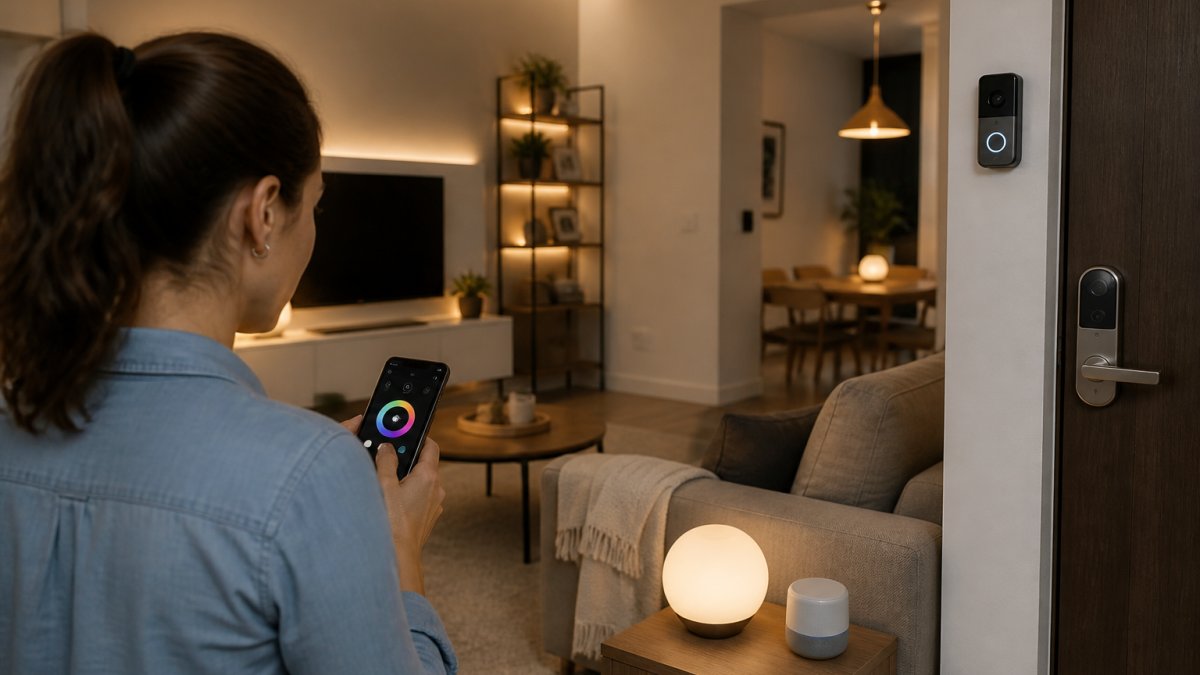
When building a smart home, the biggest mistake isn't buying the wrong device, it's buying devices that won't talk to each other. You end up with five different apps and fragmented automation. Smart home devices that work together require a shared language: wireless protocols, cloud connectivity, and open standards like Matter.
Why Device Compatibility Matters
Device compatibility determines whether your smart home functions as a unified system or devolves into isolated gadgets. When devices communicate seamlessly, you create automations spanning multiple brands, a motion sensor from one manufacturer triggers lights from another.
How Wireless Protocols Enable Communication
WiFi is the most common protocol, fast and widely available. Bluetooth is lower-power and shorter-range, ideal for locks and wearables. Thread creates a mesh network where devices relay signals, extending range without WiFi dependency. Matter is the emerging standard sitting above these protocols, providing a common language so devices from different manufacturers understand each other.
Best Smart Home Ecosystem for Beginners
If starting from scratch, choose between Amazon's Alexa (most device availability), Google Assistant (tighter Google integration), or Apple's HomeKit (privacy-focused). Modern devices increasingly support multiple platforms simultaneously, a WiFi smart plug works with Alexa, Google, and HomeKit at once.

Starting with Voice Assistants and Smart Hubs
A smart speaker serves as your hub, the central point where devices connect and automations live. The Echo Dot, Nest Mini, and HomePod mini are affordable entry points. At Mayon Finds, we recommend the WiFi Smart Plugs - 2-Pack ($24.00).
Building Your First Automation Routines
Automation routines are sequences of actions triggered by conditions: when the sun sets, turn on porch lights; when you leave home, lock doors and arm security. Start simple with a morning routine that turns on your bedroom light and starts coffee.
Matter-Compatible Smart Home Devices and Cross-Platform Standards
Matter, released in 2022, is an open standard backed by Amazon, Google, Apple, and hundreds of manufacturers. It creates standardized communication so devices from different brands work together without relying on cloud services. Matter devices communicate locally, so automations work even if your internet goes down, unlike today's ecosystem approach where devices must connect to a specific cloud service.
What Matter Protocol Means for Your Setup
If buying smart home devices today, prioritize Matter-compatible options. They cost slightly more upfront but future-proof your investment, a Matter light bulb works today with your Alexa hub and in two years with Google or Apple.
Thread Networking and Local Processing Advantages
Thread is a mesh networking protocol working alongside Matter, where devices relay signals through each other to extend range and create a resilient network. Local processing means automations run on your hub, not in the cloud, when you say "turn off the lights," the command goes to your local hub for instant control, not a cloud server with latency.
Smart Home Security Without Monthly Fees
You can build comprehensive security without monthly monitoring fees by using local storage, store footage on an SD card inside your camera instead of uploading to a cloud server, maintaining complete control without subscription services.
Local Storage and Cloud-Free Monitoring Options
The Smart WiFi Video Doorbell ($70.00) supports SD cards up to 32GB for weeks of recording without cloud fees, with motion alerts and two-way audio. The Indoor WiFi Security Camera ($50.00) offers 1080P resolution and local storage with no monthly fees. The Solar Powered Wireless Security Camera ($100.00) charges from the sun and records to a local SD card.


Privacy Considerations Across Ecosystems
When using cloud-based services, your footage travels to company servers. Local storage eliminates this exposure. Apple HomeKit requires local processing for all footage; Google and Amazon allow cloud storage but let you opt for local-only. Check privacy policies, some companies sell anonymized data or share footage with law enforcement without warrants.
Essential Smart Home Device Categories That Integrate Well
Smart lighting is foundational, lights are in every room and integrate with almost every device. Smart thermostats automate climate control. Smart locks and doorbells provide security and convenience.
Smart Lighting and Climate Control
Smart lighting starts with bulbs or switches. Smart bulbs screw into existing fixtures immediately; switches are more expensive but control multiple bulbs at once. A smart thermostat learns your schedule and adjusts temperature automatically, raising it when you leave to save energy and adjusting in advance when you're returning.
Entry Points: Smart Locks, Doorbells, and Cameras
The Smart Bluetooth Fingerprint Door Lock ($124.00) stores 200 fingerprints and unlocks in 1.5 seconds, eliminating forgotten codes and lost keys. The Smart WiFi Video Doorbell ($70.00) provides 720P video, two-way audio, and motion detection. The Indoor WiFi Security Camera ($50.00) monitors specific rooms, while the Solar Powered Wireless Security Camera ($100.00) covers outdoor areas without power cables.
Automation Enablers: Smart Plugs and Sensors
Smart plugs are the most versatile devices in any ecosystem. The WiFi Smart Plugs - 2-Pack ($24.00) work with Alexa and Google Assistant, include energy monitoring, and support scheduling and voice control. Motion sensors, door sensors, and temperature sensors are the triggers enabling automation, these sensors are the nervous system of your smart home.
Top Smart Home Devices for Seamless Integration
1. WiFi Smart Plugs: Foundation for Any Ecosystem
The WiFi Smart Plugs - 2-Pack ($24.00) make any device smart without a hub, work with both Alexa and Google Assistant, and include custom scheduling and energy monitoring.
2. Smart Video Doorbell: Security Meets Convenience
The Smart WiFi Video Doorbell ($70.00) provides 720P HD video with two-way audio and motion detection. It stores footage on an SD card, eliminating monthly cloud storage fees, and lets you talk to delivery drivers or warn off solicitors from anywhere.
3. Indoor WiFi Security Camera: Remote Monitoring Without Subscriptions
The Indoor WiFi Security Camera ($50.00) delivers 1080P Full HD resolution with two-way audio and 0.001 lux low-light sensitivity. Motion detection alerts notify you instantly, and SD card storage means no recurring fees.
WiFi Smart Plugs – 2-Pack, Alexa & Google Assistant Compatible, Custom →
4. Smart Fingerprint Door Lock: Biometric Access Control
The Smart Bluetooth Fingerprint Door Lock ($124.00) eliminates keys entirely. Store 200 fingerprints and unlock in 1.5 seconds. Bluetooth app control lets you lock or unlock remotely. It operates reliably from -20°C to 65°C.
5. AI Smart Bluetooth Speaker: Voice Hub and Music
The AI Smart Bluetooth Speaker ($65.00) combines voice control with music streaming and ambient lighting. The 6-microphone array picks up your voice from across the room, and voiceprint recognition personalizes responses.
6. Smart LED Bulb Speaker: Dual-Function Lighting
The Creative Home LED Smart Bluetooth Speaker E27 Bulb Light ($22.00) screws into any standard E27 socket, combining lighting with audio. RGB color modes set any color or warm/cool white. The built-in Bluetooth speaker streams music wirelessly.
7. Solar Powered Security Camera: Outdoor Surveillance Independence
The Solar Powered Wireless Security Camera ($100.00) charges entirely from the sun, eliminating power cables. 1080P Full HD resolution with 0.001 lux low-light sensitivity and 50-meter effective range covers driveways and yards.
8. Smart Robot Vacuum: Automated Cleaning on Schedule
The Smart Robot Vacuum Cleaner ($43.00) sweeps and mops simultaneously, covering up to 150 square meters on a single charge with 1,800Pa suction and ultra-quiet operation under 40 decibels.
9. Smart Pet Feeder: Remote Care and Monitoring
The Smart Pet Automatic Feeder ($215.00) schedules up to four meals per day with portion control down to the gram, includes an HD camera to watch your pet eat, and features two-way voice intercom.
10. Wireless LED Under Cabinet Light: Flexible Task Lighting
The Wireless LED Under Cabinet Light Bar ($40.00) uses magnetic mounting without tools or drilling. The rechargeable battery provides cordless operation. Natural white light reduces eye strain.
Quick Product Comparison Table
| Product | Price | Best For | Key Feature | Integration |
|---|---|---|---|---|
| WiFi Smart Plugs 2-Pack | $24.00 | Foundation devices | Energy monitoring | Alexa & Google |
| Smart Video Doorbell | $70.00 | Entry security | 720P + two-way audio | Alexa & Google |
| Indoor WiFi Camera | $50.00 | Room monitoring | 1080P + night vision | Alexa & Google |
| Fingerprint Door Lock | $124.00 | Access control | Biometric unlock | Bluetooth app |
| AI Smart Speaker | $65.00 | Voice hub | 6-mic array | Bluetooth |
| LED Bulb Speaker | $22.00 | Lighting + audio | RGB colors | Bluetooth |
| Solar Security Camera | $100.00 | Outdoor surveillance | Solar powered | WiFi |
| Robot Vacuum | $43.00 | Automated cleaning | Sweep & mop combo | App scheduling |
| Pet Feeder | $215.00 | Pet care | HD camera + voice | App control |
| Under Cabinet Light | $40.00 | Task lighting | Magnetic mount | USB rechargeable |
How to Set Up Automation Scenes and Routines Across Devices
A scene is a collection of device states you activate with a single command. A routine is a sequence of actions triggered by a condition. "Movie time" dims lights and closes blinds. "When I leave home" locks doors and adjusts the thermostat.
Trigger-and-Action Automation Logic
Every automation follows: if this happens, then do that. Triggers can be time-based (time reaches 6 AM), sensor-based (motion detected), or voice-based.
The challenge is that different ecosystems handle triggers and actions differently. An Alexa routine triggers Alexa-compatible devices.
Common Automation Examples That Actually Work
Movie Time: Say "Alexa, movie time" and the lights dim to 10%, the TV turns on, and the soundbar powers up.
Arriving Home: When you arrive, unlock the front door, turn on the entryway light, and adjust the thermostat to comfort temperature.
The real power of smart home devices that work together is that these automations become possible. Individual devices are convenient. Integrated devices are transformative.
Frequently Asked Questions
What does it mean for smart home devices to work together?
Smart home devices that work together use compatible wireless protocols and ecosystems to communicate and share data. This allows you to control multiple devices from one app, create automated routines (like turning off lights when you leave), and have devices trigger each other based on conditions. For example, your smart doorbell can trigger your smart lights to turn on, or your security camera can send alerts to your phone. True interoperability means you're not locked into a single brand, devices from different manufacturers can function as one unified system through shared standards like WiFi, Bluetooth, Matter, or Thread.
How do I know if my smart home devices are compatible?
Check the product specifications for compatibility labels: Alexa-compatible, Google Home-compatible, or Matter-certified. Most smart home devices list which voice assistants and platforms they support. Before purchasing, verify that new devices match the ecosystem you already use. If you have Alexa devices, look for products labeled 'Works with Alexa.' If you're mixing brands, Matter-compatible devices offer the broadest cross-platform support. Read customer reviews to confirm real-world integration works as advertised, since compatibility sometimes varies by feature. Mayon Finds products like the WiFi Smart Plugs and AI Smart Bluetooth Speaker are explicitly compatible with both Alexa and Google Assistant, making them flexible choices for mixed ecosystems.
What is the Matter standard for smart homes?
Matter is an open-source connectivity standard designed to make smart home devices work together regardless of manufacturer. It uses Thread (a mesh networking protocol) or WiFi to enable direct communication between devices without relying solely on cloud servers. Matter devices can operate locally, meaning faster response times and better privacy, your commands don't always need to travel to the internet. Matter certification ensures devices meet strict interoperability requirements, reducing compatibility headaches. While Matter adoption is still growing, it's becoming the foundation for future smart home ecosystems. Many new devices are being released with Matter support, making it a smart choice if you're building a system from scratch or upgrading existing hardware.
Can I use smart home devices from different brands together?
Yes, but with conditions. Devices from different brands can work together if they share a common platform or protocol. For example, a Philips Hue light from one brand can be controlled by an Alexa speaker from another brand if both are Alexa-compatible. The key is choosing a central hub or voice assistant that supports multiple brands. WiFi-based devices are generally more compatible across brands than proprietary protocols. However, advanced features sometimes only work within the same brand's ecosystem. To maximize compatibility, prioritize devices that support open standards like Matter, WiFi, or Bluetooth, and avoid brands that use closed, proprietary systems. Mayon Finds products are designed with broad compatibility in mind, the WiFi Smart Plugs work with both Alexa and Google Home, making them bridge devices for mixed-brand setups.
Do smart home security cameras and doorbells require monthly subscription fees?
Not necessarily. Many smart home security devices, including those from Mayon Finds, offer local storage options that avoid monthly fees. The Smart WiFi Video Doorbell and Indoor WiFi Security Camera both support SD card storage (8-32GB), letting you record footage directly to the device without paying for cloud services. The Solar Powered Wireless Security Camera is fully self-sufficient and can store footage locally. However, some brands charge monthly for cloud backup, advanced features, or continuous recording. Always check the product description before buying, if a subscription is required, it will be stated upfront. Local storage means your footage stays on your device, improving privacy and eliminating recurring costs, though you'll need to manually manage storage space.
Building a smart home doesn't require choosing between convenience and cost. The devices from Mayon Finds integrate seamlessly across platforms, support local storage for privacy, and eliminate recurring subscription fees. Start with the WiFi Smart Plugs to establish your foundation, add security devices for peace of mind, and layer in automation as you grow comfortable. A truly integrated smart home is within reach, you just need devices designed to work together.