

Smart Home Automation for Beginners: 2026 Setup Guide
Last Updated: October 22, 2026
Quick Summary
Smart home automation beginners can start with affordable, WiFi-connected devices like smart plugs and lights that require no hub or rewiring. A complete beginner setup with five core automations costs under $300 and delivers immediate value through time savings, energy efficiency, and improved security.
- You don't need a central hub to start, most devices connect directly to WiFi and your phone
- Start with one simple time-based routine like turning on lights at 6:30 AM, then add more gradually
- Choose either Alexa or Google Assistant as your voice platform for compatibility with thousands of devices
Table of Contents
- What Smart Home Automation Actually Means for Beginners
- Smart Home Setup for Beginners: Do You Need a Hub?
- Your First Smart Home Automation Ideas: 5 Easiest Starting Points
- Easy Home Automation Routines You Can Set Up Today
- Device Compatibility: Making Different Brands Work Together
- Real Cost Breakdown: What a Beginner Smart Home Actually Costs
- Privacy, Security, and Reliability: What You Need to Know
- Getting Started: Your First Week Action Plan
- Frequently Asked Questions
What Smart Home Automation Actually Means for Beginners
Smart home automation is the practice of using connected devices and schedules to control your home's appliances, lighting, locks, and climate without manual intervention.
According to Security.org's 2026 smart home guide, 76% of people surveyed are already familiar with smart home technology, and 53% own at least one smart device.
You don't need to understand how the technology works, just what it can do for you: save time, reduce energy costs, improve security, or add convenience.
Smart Home Setup for Beginners: Do You Need a Hub?
The short answer is no, not always. A hub is a central device that connects your smart devices and lets them communicate, but many beginner setups work fine without one.
Smart plugs and smart lights connect directly to your home WiFi, plug them in, connect, and control them from your phone with no extra hardware.

A hub becomes useful when you want advanced automation routines or when you're mixing devices from different brands that don't naturally talk to each other.
The Graffiti Smart Central Control Home Panel from Mayon Finds ($276.00) is a central touchscreen that brings all your devices into one interface.
Your First Smart Home Automation Ideas: 5 Easiest Starting Points
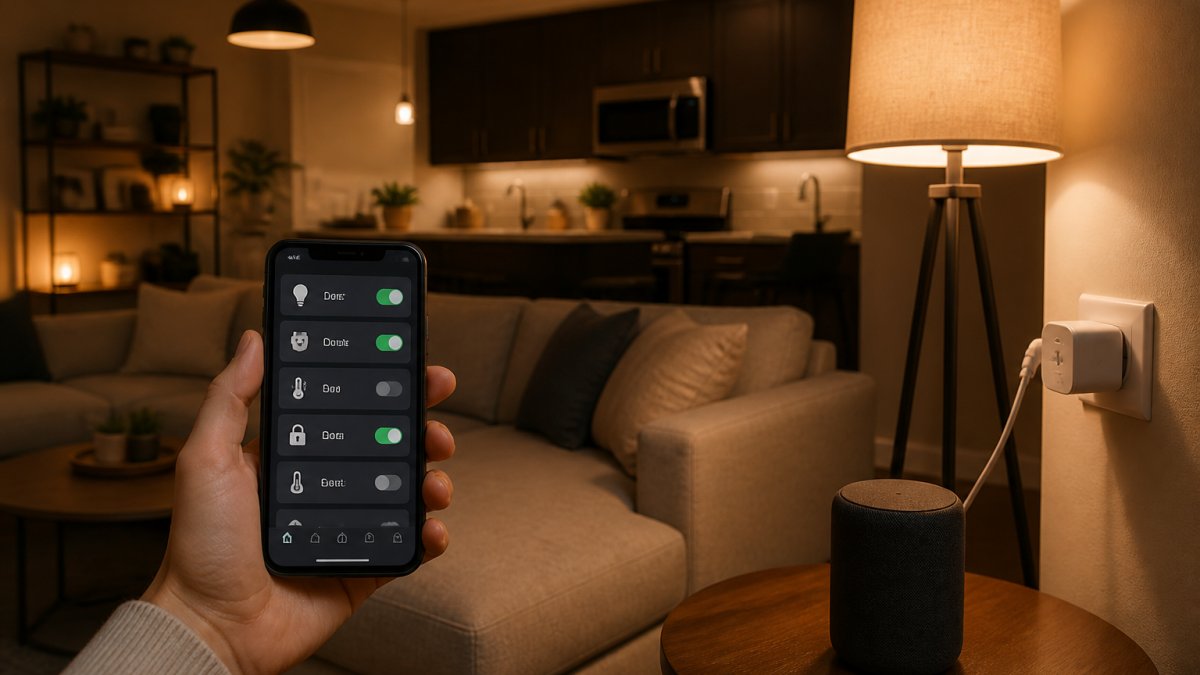
The easiest automations solve real problems, saving time, money, or hassle. Here are five starting points that deliver immediate value.
1. Smart Plugs: Control Any Appliance Without Rewiring
Smart plugs are the gateway to home automation. Plug one into any outlet, and that lamp, fan, coffee maker, or space heater becomes controllable from your phone or voice command.
The WiFi Smart Plugs from Mayon Finds ($24.00 for a 2-pack) work with Alexa and Google Assistant, include custom schedules (set your coffee maker for 6:30 AM every weekday), and monitor energy usage in real time.
Smart plugs require zero installation, no rewiring, no electrician, no permanent changes. Renters love them for exactly this reason.
2. Smart Lighting Automation: Set Schedules and Voice Control
Smart lights let you control brightness, color, and timing from anywhere, enabling routines that turn on at sunset, brighten during work hours, or dim for movie time.
The Creative Home LED Smart Bluetooth Speaker E27 Bulb Light ($22.00) combines colored ambient light and music in a single bulb.

The real advantage is scheduling: set bedroom lights to gradually brighten 15 minutes before your alarm, simulating sunrise so you wake naturally.
Smart lighting automation also cuts energy costs: lights on timers use less power than lights left on all day, and dimmable bulbs consume less than full brightness.
3. Smart Video Doorbell: See and Speak to Visitors Remotely
A smart video doorbell replaces your existing doorbell and gives you a live video feed, two-way audio, and motion alerts on your phone, see who's at the door, speak to them, and record footage from anywhere.
The Smart WiFi Video Doorbell from Mayon Finds ($70.00) offers a 720P HD camera with night vision, motion alerts, and SD card local recording, no monthly subscription. You get real-time visibility whether you're at work, on vacation, or just upstairs.
This is one of the few smart devices that improves security directly: you control porch access and keep a record of every visitor.
4. Smart Lock: Keyless Entry with Fingerprint Access
A smart lock removes the need for physical keys. The Smart Bluetooth Fingerprint Door Lock from Mayon Finds ($124.00) stores up to 200 fingerprints, unlocks in 1.5 seconds, is rated for 9,000+ cycles, and works from -20°C to 65°C.
The advantage for beginners is simplicity. No codes to remember, no keys to lose. Family members and guests get their own fingerprints added. You manage access remotely from your phone.
5. Robot Vacuum: Automate Floor Cleaning
The Smart Robot Vacuum Cleaner from Mayon Finds ($43.00) handles up to 150 square meters on a single charge, sweeps and mops, navigates around furniture, and returns to its base. Set it to run daily at 2 PM and your floors are clean before you get home.
This automation saves hours every week. The 1,800Pa suction power handles pet hair and dust on hard floors and low-pile rugs.
Easy Home Automation Routines You Can Set Up Today
The simplest routines start with time-based triggers. "Every weekday at 7 AM, turn on the kitchen lights and start the coffee maker." No condition, no complexity, just time and action.
Motion-based routines add a layer: "If motion is detected after 11 PM, turn on the hallway light at 10% brightness", no stumbling in the dark, no blinding glare.
Voice-activated routines let you trigger multiple actions with one command. Say "Goodnight," and your lights dim, your doors lock, and your thermostat switches to night mode. One phrase, ten actions.
Start with one routine. Make it something you do every single day. Once that works reliably, add another.
WiFi Smart Plugs – 2-Pack, Alexa & Google Assistant Compatible, Custom →
Device Compatibility: Making Different Brands Work Together
The biggest concern for beginners is whether devices from different brands, Philips lights, an Ecobee thermostat, Amazon smart plugs, will work together.
The answer depends on your voice assistant. Alexa and Google Assistant both support thousands of devices from different manufacturers, so devices that work with at least one can communicate through that platform.
Matter integration standards are becoming the standard for cross-brand compatibility. Matter is a protocol that lets devices talk to each other without needing a specific brand's app or voice assistant.
The practical step: before buying, check whether a device works with your chosen voice assistant (Alexa or Google Home) or supports Matter.
Real Cost Breakdown: What a Beginner Smart Home Actually Costs
Here's what a genuine beginner setup costs, broken down by device:
| Device | Price | Purpose | Notes |
|---|---|---|---|
| Smart Plugs (2-pack) | $24.00 | Control existing appliances | No hub needed |
| Smart Lighting Bulb | $22.00 | Automated lights with voice control | E27 fitting, Bluetooth speaker included |
| Smart Video Doorbell | $70.00 | Remote door monitoring | 720P HD, local SD card storage |
| Smart Fingerprint Lock | $124.00 | Keyless entry | 200 fingerprints, Bluetooth app control |
| Robot Vacuum | $43.00 | Automated floor cleaning | 150m² coverage, sweep and mop |
| Total Beginner Setup | $283.00 | Five core automations | Expandable without hub |
This is a complete, functional setup for under $300. You get lighting control, security monitoring, keyless entry, and automated cleaning. No monthly subscriptions, no hub required.

If you want to add a central control panel later, the Graffiti Smart Central Control Home Panel ($276.00) brings everything into one touchscreen interface. But that's a phase-two upgrade for users who've outgrown basic phone control.
Privacy, Security, and Reliability: What You Need to Know
Smart home devices collect data about your home and habits, lights know when you're home, doorbells record video, thermostats track preferences.
Enable two-factor authentication wherever available.
The Smart WiFi Video Doorbell from Mayon Finds uses SD cards for local recording, which means your footage stays on your device.
Reliability matters because a failed automation is worse than none, a smart lock that won't unlock leaves you locked out.
According to SafeHome.org's 2026 home automation guide, smart-home systems bring convenience and security benefits, but they do pose cybersecurity risks if not properly configured.
Getting Started: Your First Week Action Plan
| Action | Timeline | Outcome |
|---|---|---|
| Choose voice assistant (Alexa or Google) | Day 1 | Decision made, ecosystem locked in |
| Buy smart plugs and set up WiFi | Day 2-3 | First automation working |
| Add smart lighting or doorbell | Day 4-5 | Second automation running |
| Create first routine (time-based) | Day 6 | Hands-free control active |
| Test and refine | Day 7 | Routine optimized for your schedule |
Day 1: Choose Your Voice Assistant
Pick either Alexa (Amazon) or Google Assistant, both work equally well for beginners. Don't overthink it; you can add devices from the other ecosystem later if they support Matter.
Days 2-3: Start with Smart Plugs
The WiFi Smart Plugs from Mayon Finds ($24.00 for a 2-pack) are the easiest entry point.
Days 4-5: Add One More Device
Choose either smart lighting or a video doorbell. Don't buy five things at once.
Day 6: Create Your First Routine
Set up a simple time-based routine.
Day 7: Refine and Expand
Review what worked and what didn't, timing, response speed, adjust the routine, then target your next pain point.
Smart home automation beginners should focus on isn't about buying the most devices or the fanciest technology.
At Mayon Finds, we've curated a lineup of smart home devices specifically designed for this journey. They work together seamlessly, integrate with major voice assistants, and cost less than you'd expect. Security.org reports that about 7% of homeowners are adding smart-home capabilities as part of home-improvement projects, which means now is exactly the right time to build your setup.
Frequently Asked Questions
What is the easiest smart home automation to set up?
Smart plugs are the easiest entry point. They require no hub, no rewiring, and no technical knowledge, just plug them in, connect to Wi-Fi via your phone, and you can control any device plugged into them. The WiFi Smart Plugs 2-Pack at $24 work with Alexa and Google Assistant right out of the box and let you set schedules or control devices remotely. No installation needed.
Do I need a smart home hub to automate my home?
No, you don't need a hub to start. Devices like smart plugs, smart lights, and video doorbells connect directly to your Wi-Fi and work with voice assistants like Alexa or Google Home. However, a hub becomes useful later if you want more advanced automations, local control during internet outages, or to connect devices that don't support Wi-Fi directly. The Graffiti Smart Central Control Home Panel ($276) offers this for more complex setups.
Can smart home devices from different brands work together?
Yes, as long as they support the same voice assistant or integration standard. Most devices work with Alexa or Google Assistant, which act as a bridge between brands. The WiFi Smart Plugs and Creative Home LED Bulb both support Alexa and Google Home, so they'll work together even if made by different manufacturers. Check the product listing for compatibility before buying to avoid conflicts.
What are some useful smart home routines for beginners?
Start simple: schedule lights to turn on at sunset and off at bedtime, set smart plugs to turn off coffee makers after 30 minutes, or create a 'leaving home' routine that locks your door and turns off lights. Use motion detection on security cameras to get alerts when someone approaches. The key is automating one task at a time, don't try to build a complex system on day one. Most voice assistants let you create these routines in their app in minutes.
How much does it cost to start a smart home as a beginner?
A starter setup including WiFi Smart Plugs 2-Pack ($24), Creative Home LED Smart Bulb ($22), Smart WiFi Video Doorbell ($70), and an Indoor WiFi Security Camera ($50) gives you plug automation, smart lighting, doorbell monitoring, and security. If you want a smart lock, add $124. You don't need a hub to start, most devices connect directly to Wi-Fi and work with free voice assistant apps.
